
Wishlist dashboard for site admins
The Wishlist Dashboard is a powerful tool designed exclusively for site administrators, providing comprehensive knowledge into user activity related to wishlists.
Manage user wishlists
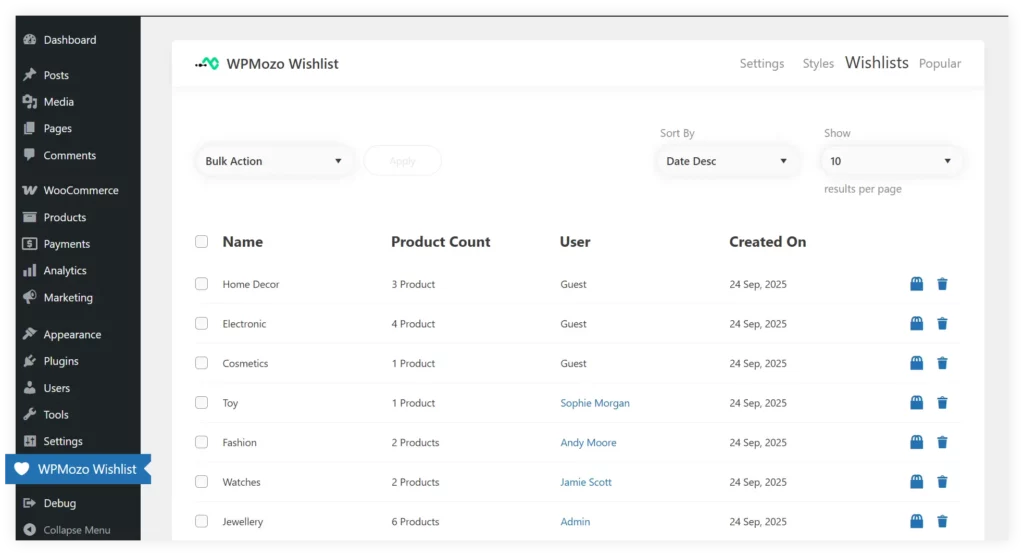
The Wishlist tab in the WPMozo Wishlist Dashboard provides a centralized view of all user-created wishlists, allowing admins to track user activity, and view the number of products in each wishlist.
View detailed wishlist information
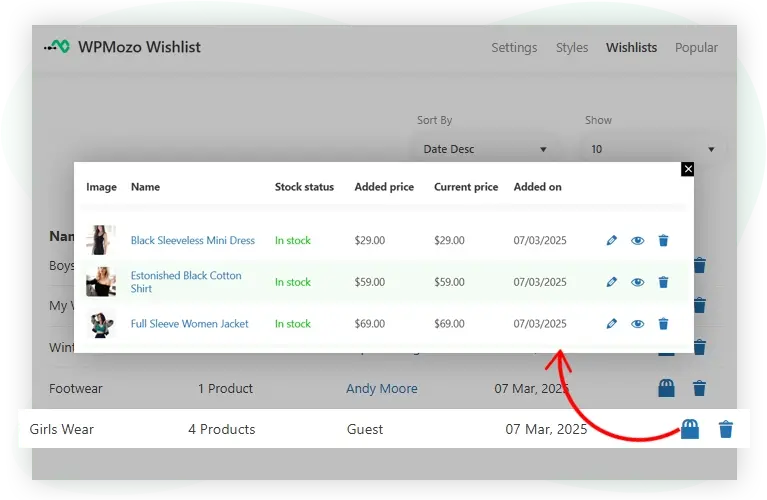
The Admin can explore each user’s wishlist in detail from the Wishlist tab, identifying products with images and names, checking stock status to manage inventory, and viewing the price at which items were added for information into user preferences and pricing trends.
Discover popular products
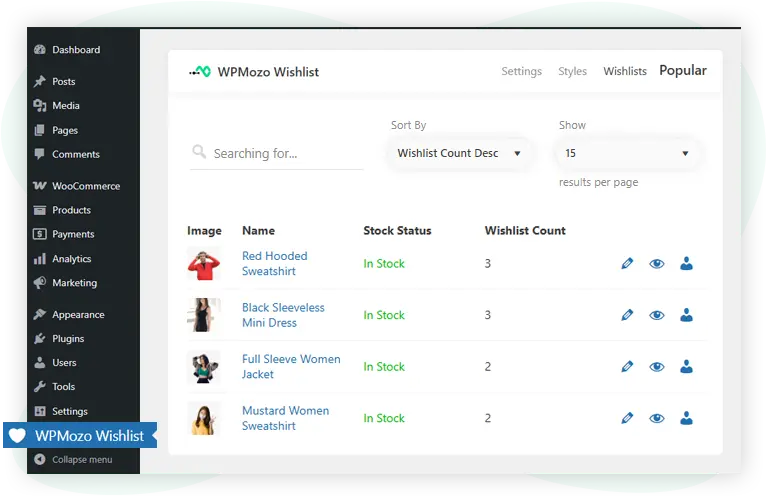
The Popular tab in the WPMozo Wishlist Dashboard offers details about the most wishlisted items, allowing admins to track product desirability and potential bestsellers. It also provides easy access to stock status, wishlist counts, and tools for editing or analyzing each product, helping optimize inventory management and promotional strategies based on user demand.
Explore product popularity by users
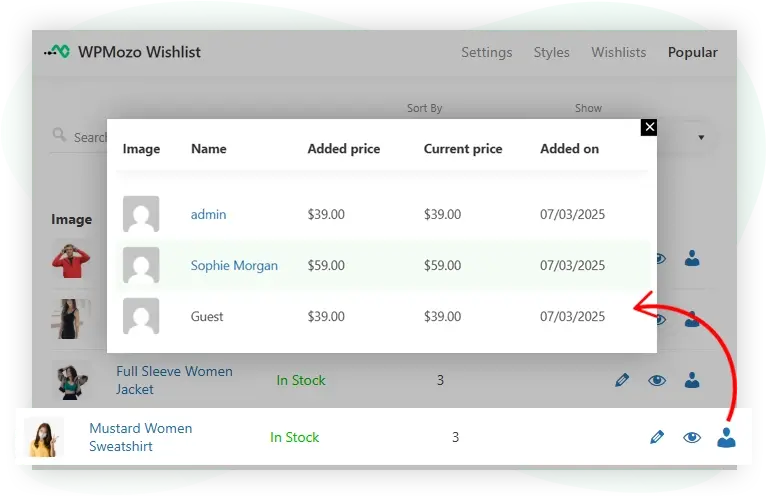
The WPMozo Wishlist Dashboard enables admins to explore product popularity by user, offering insights into which users (including guests) have added specific products to their wishlists.
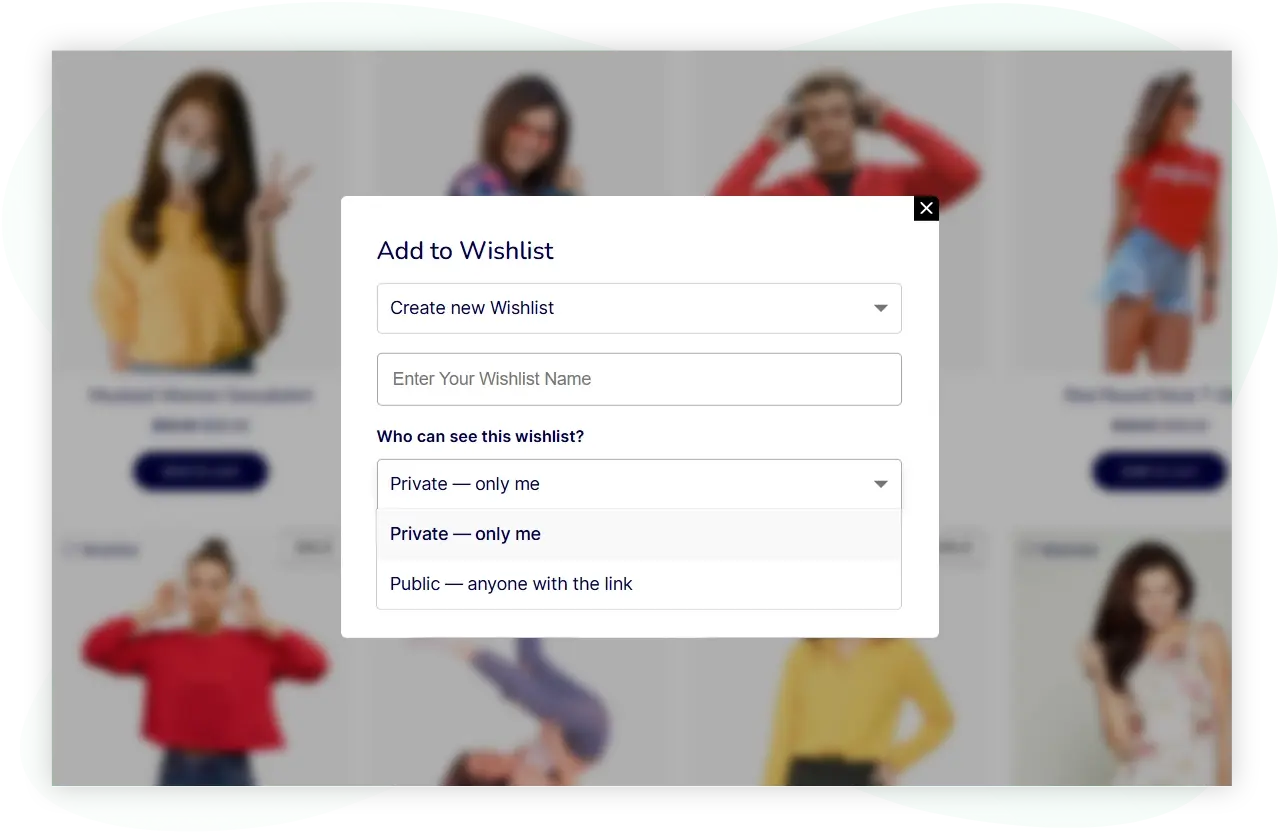
Control wishlist privacy
Let users choose whether their wishlists are private or public. Keep wishlists visible only to their owners, or allow others to view them through a shareable link.
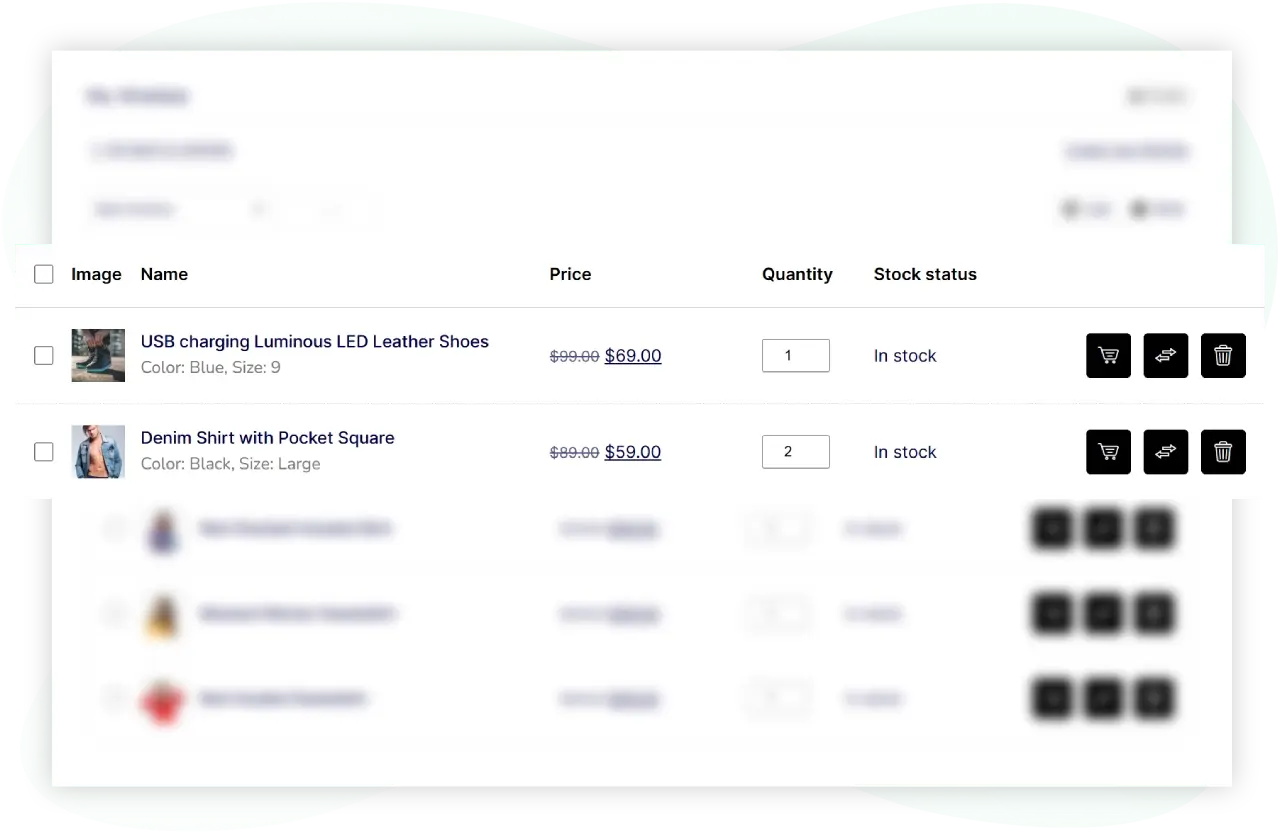
Save product variations to wishlists
Let users add specific product variations to their wishlists, including selected options such as size and color. Keep track of their preferred product choices for future purchases.
Know what customers want, and when they are ready to buy
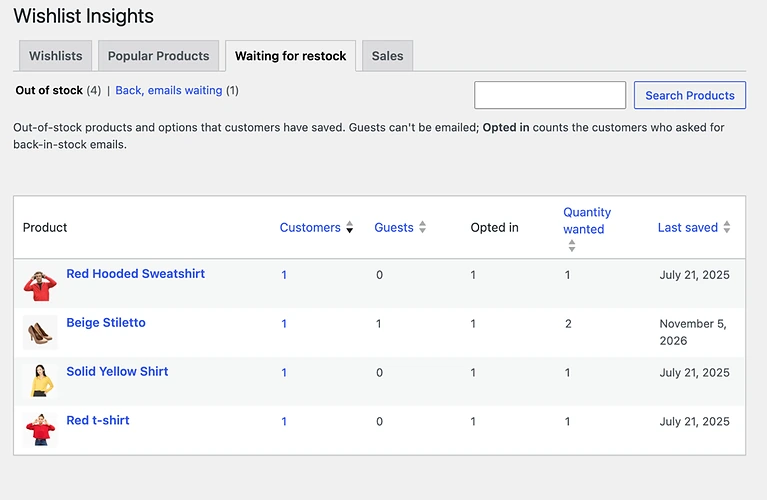
Waiting for restock
A waiting for restock tab lists the out-of-stock products customers have saved, how many customers and guests are waiting, and how many opted in to back-in-stock emails. Use Send now to email the customers whose restocked items are still queued.
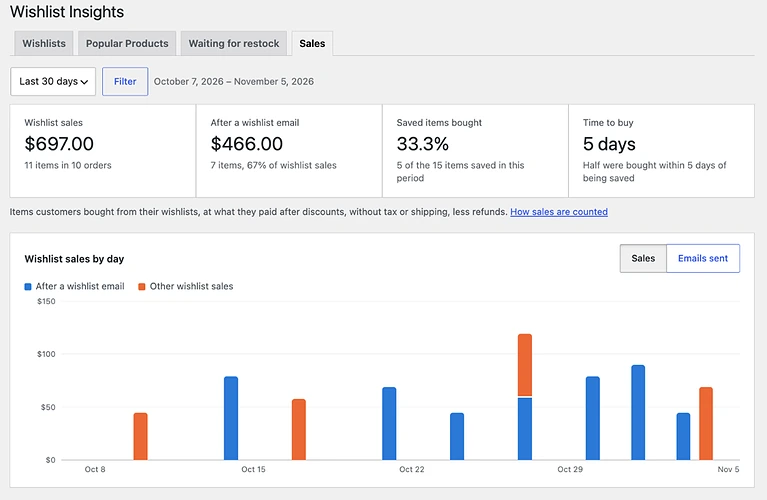
Sales from wishlists
The Sales tab shows what customers bought from their wishlists and after the wishlist emails, against the period before, with a chart by day, each email’s results and the products bought. It counts orders placed after the update.
Personal offers
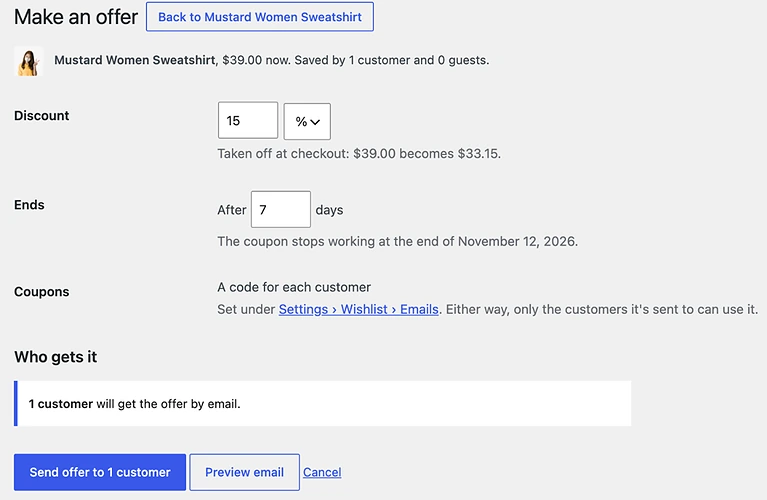
Pick a product in Popular Products and email the customers who saved it a coupon, with a Buy now button that adds the item and applies the code. Choose the discount, how long it lasts and whether it can be combined with other coupons.
Wishlist numbers across WooCommerce
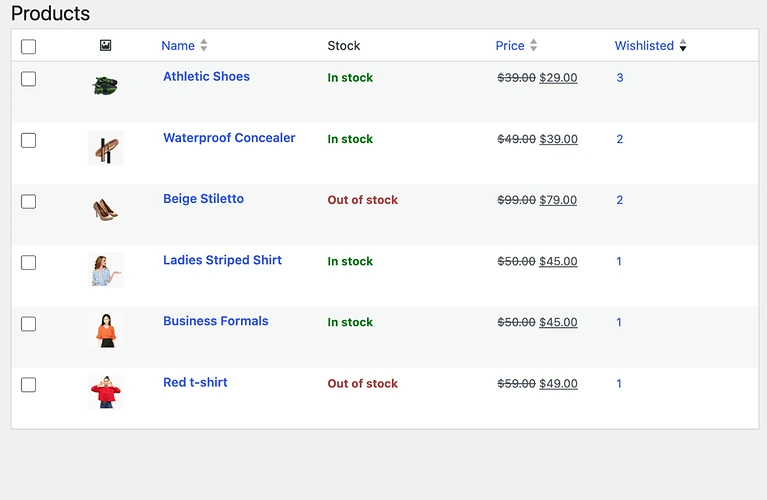
See a sortable Wishlisted column in Products > All Products, a Wishlists box on each product with who saved it and the emails they asked for, the customer’s wishlist on the order screen and user profile, and a Wishlist Insights widget on the WordPress Dashboard.