
Wishlist dashboard for site admins
The Wishlist Dashboard is a powerful tool designed exclusively for site administrators, providing comprehensive knowledge into user activity related to wishlists.
Manage user wishlists
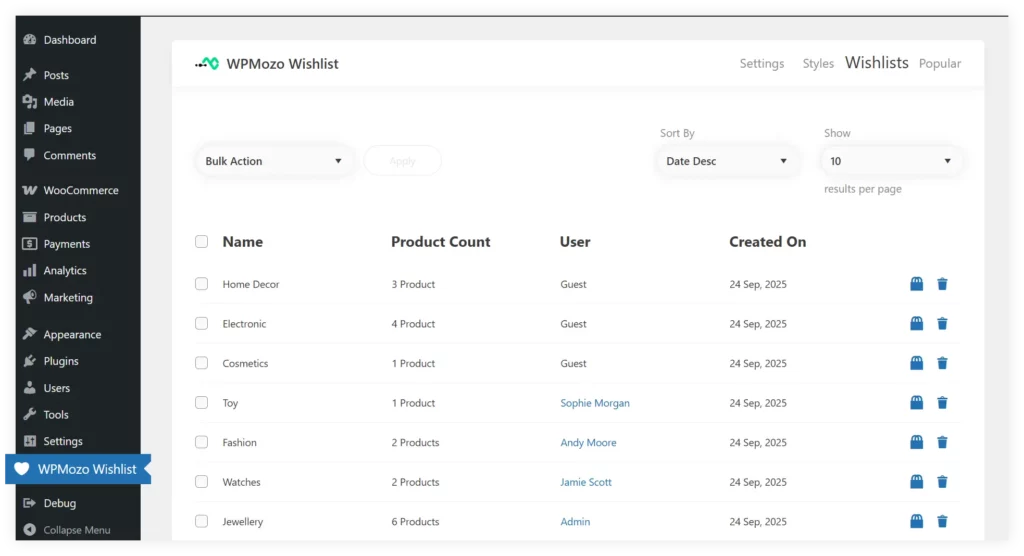
The Wishlist tab in the WPMozo Wishlist Dashboard provides a centralized view of all user-created wishlists, allowing admins to track user activity, and view the number of products in each wishlist.
View detailed wishlist information
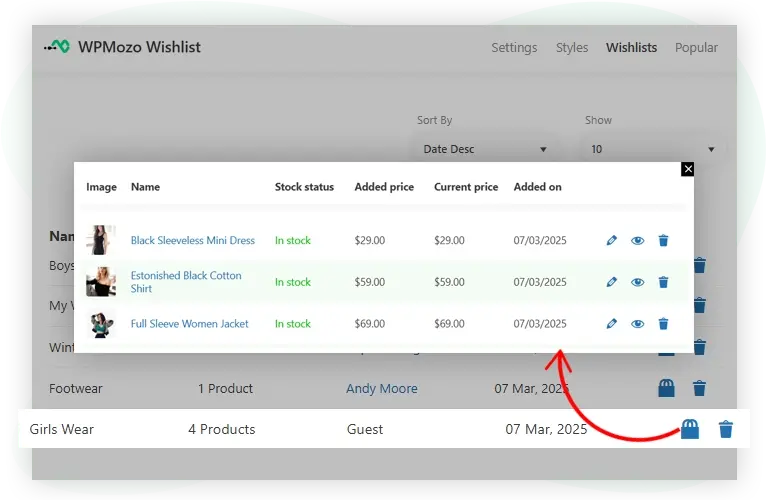
The Admin can explore each user’s wishlist in detail from the Wishlist tab, identifying products with images and names, checking stock status to manage inventory, and viewing the price at which items were added for information into user preferences and pricing trends.
Discover popular products
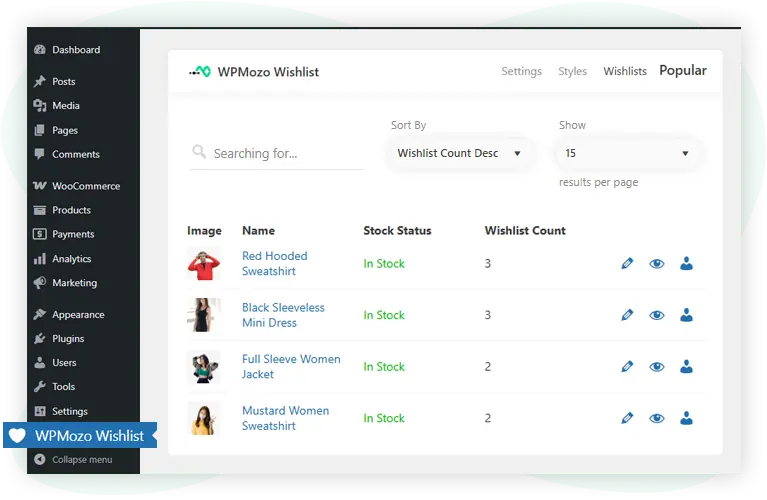
The Popular tab in the WPMozo Wishlist Dashboard offers details about the most wishlisted items, allowing admins to track product desirability and potential bestsellers. It also provides easy access to stock status, wishlist counts, and tools for editing or analyzing each product, helping optimize inventory management and promotional strategies based on user demand.
Explore product popularity by users
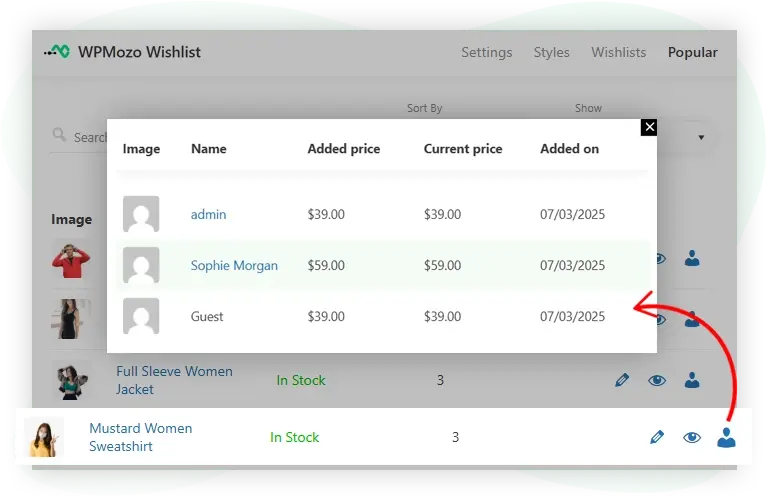
The WPMozo Wishlist Dashboard enables admins to explore product popularity by user, offering insights into which users (including guests) have added specific products to their wishlists.